A Markdown reader
built for reading
mermaid, dot and d2 render on this machine: no network, no telemetry, nothing sent anywhere. Open a folder and read.
Features
A reader, not an editor
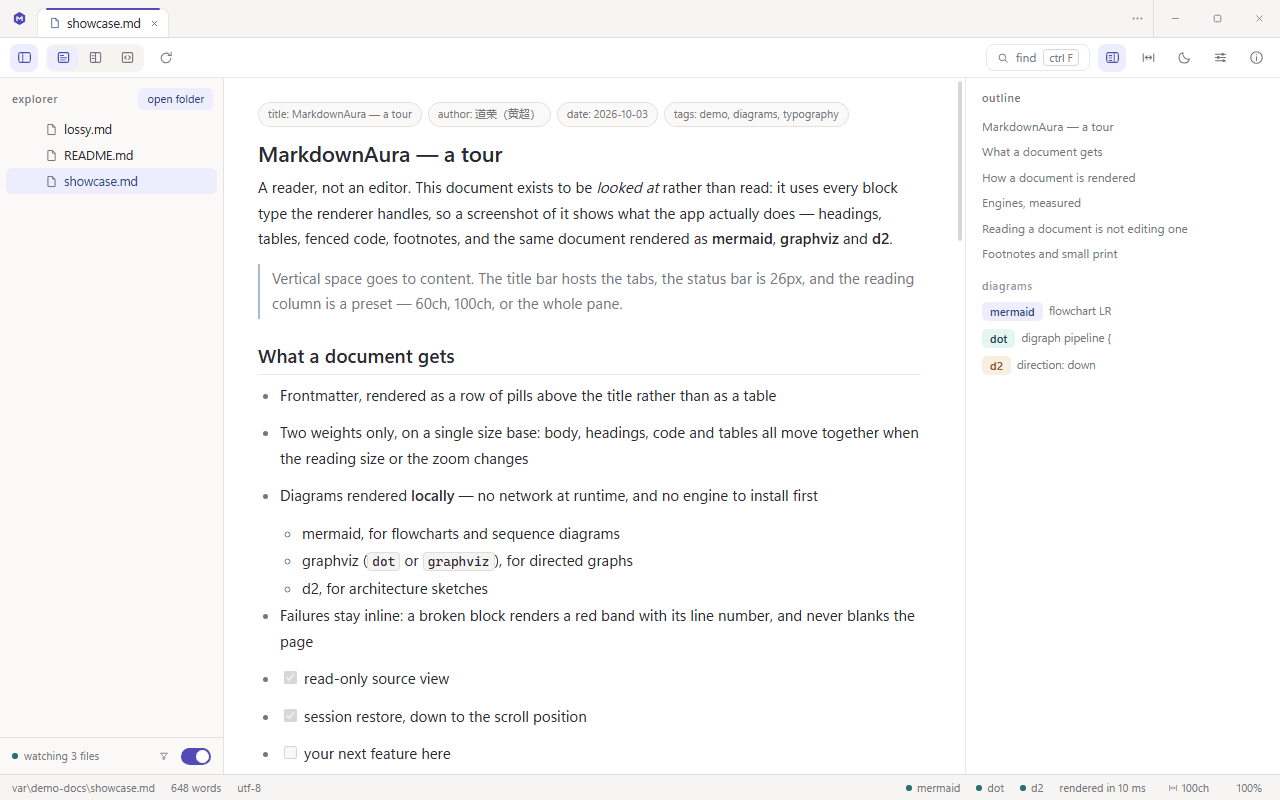
The source view is read-only: no caret, no undo, no unsaved-changes nagging. Sidebar, outline and toolbar fold away on demand, so the vertical space goes to the text.
Big files and odd encodings do not get in the way
A single file is read up to 8 MiB; anything past that is marked truncated rather than quietly dropped. UTF-8, BOM, UTF-16LE and UTF-16BE are detected; LF / CRLF shows in the status bar.
It came back, not started over
The next launch restores tabs (preview included), scroll positions, the open folder, window geometry, theme, font size, zoom, reading width and both panel widths. A temporarily missing file is struck through, not dropped.
Every tab remembers its own state
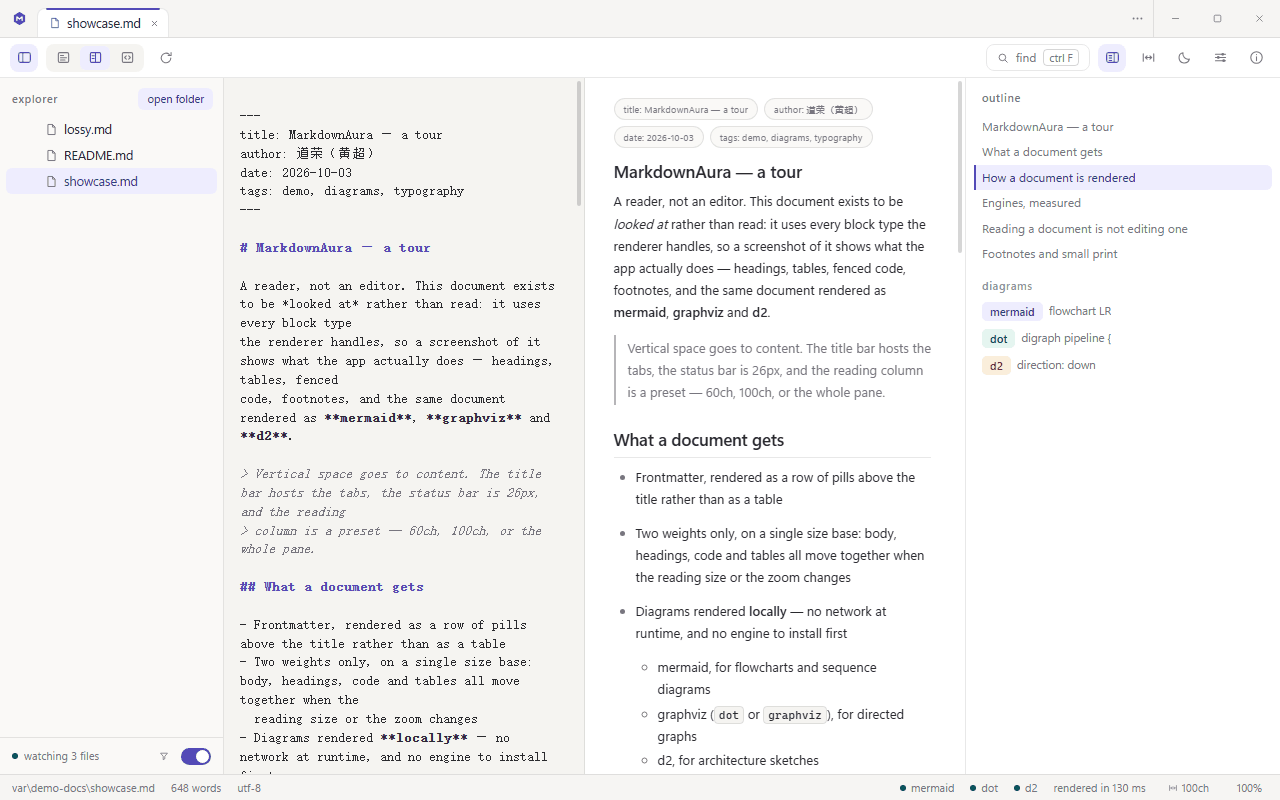
View mode, scroll position, find query and current hit are kept per tab, so switching back does not re-render.
Chinese text gets real weight
Headings and bold use 600 rather than 500: YaHei ships Regular and Bold only, so a request for 500 is matched down to Regular and a Chinese heading looks un-bolded.
Installing needs no network
The installer carries the WebView2 loader; it only fetches the runtime on a machine that does not have it (Windows 11 and Windows 10 with Edge already do).
What it looks like
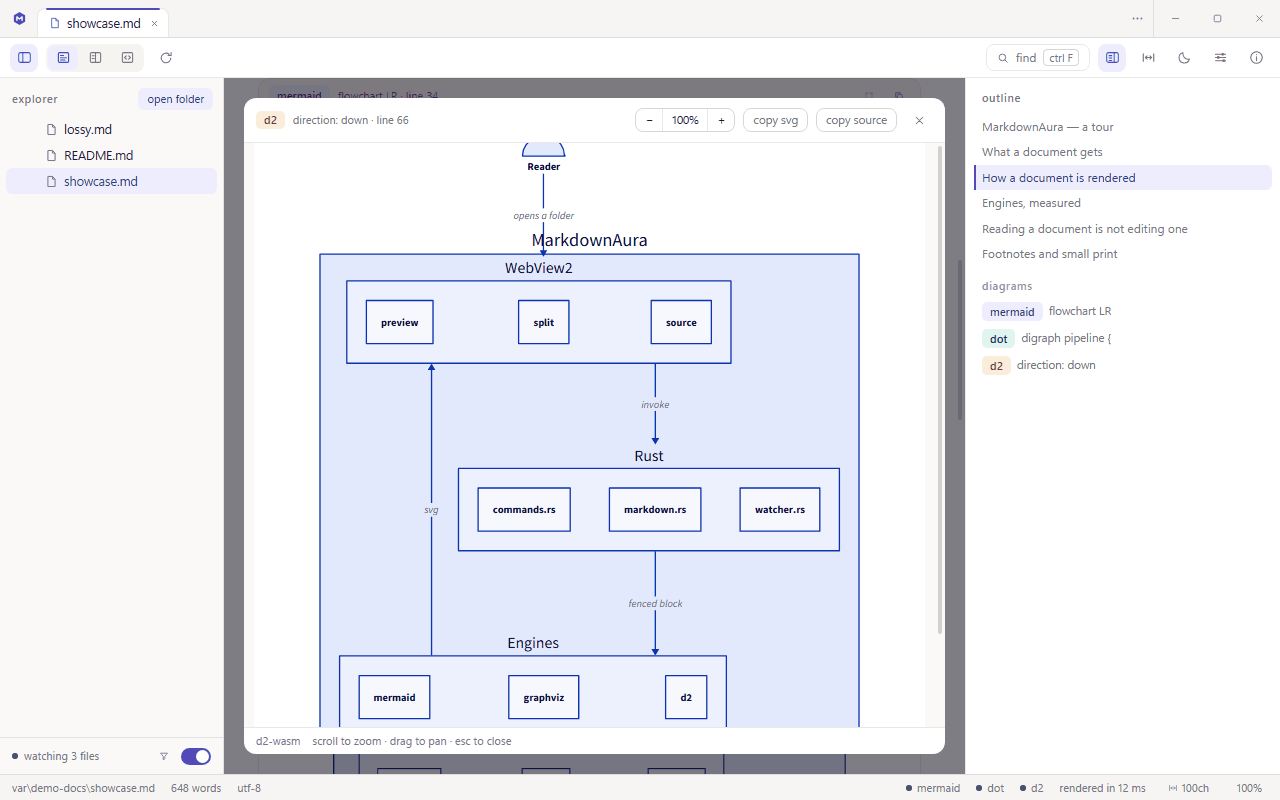
the screenshots are the app itself: preview, split, and the diagram viewer
Download MarkdownAura
two forms, pick one; both work offline
wizard install with a signed update channel: About → check for updates
DownloadEvery release, its installers and the .sig verification files live on the releases page; older versions can be taken from there too.
Requires Windows 10 / 11 (x64) with the WebView2 Runtime (already present on Windows 11 and on Windows 10 with Edge)
FAQ
Does it upload my documents anywhere?
No. All three diagram engines run as WASM inside the application; rendering never calls a remote service. The app makes no network requests at runtime and sends no telemetry. The single exception is the update check you trigger yourself from About → check for updates.
Does it work fully offline?
Yes. Once installed (with the WebView2 Runtime present), everything works offline, including mermaid, dot and d2 rendering.
What does Windows 10 need extra?
Only the WebView2 Runtime. Windows 10 with Edge already has it; the installer carries the WebView2 loader and fetches the runtime only on a machine that genuinely lacks it. Windows 11 needs nothing extra.